-
[embla-carousel] Carousel을 라이브러리로 쉽게 구현해보자2React.js/react 2023. 11. 15. 15:24
단순한 캐러셀 말고 예쁜 캐러셀을 찾다가 알게 된 라이브러리 embla-carousel
https://www.embla-carousel.com/
A lightweight carousel library with fluid motion and great swipe precision | Embla Carousel
www.embla-carousel.com
캐러셀 예제를 한 눈에 볼 수 있어서 좋았다.
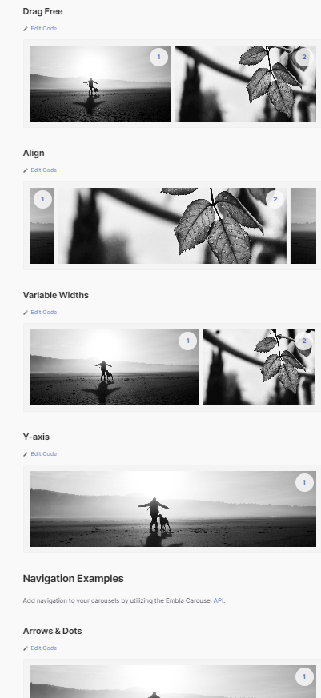
나는 양 옆에 이미지가 살짝 보이는 디자인으로 선택했다.
1. 라이브러리 설치
npm install embla-carousel-react --save
yarn add embla-carousel-react
나는 autoplay 속성이 필요했는데, 문서를 살펴보니 옵션이 없었다.
구글링 결과 패키지 설치가 추가적으로 필요했다.
yarn add embla-carousel-autoplay라이브러리 추가 후 emblaCarouselAutoplay()를 사용하여 delay를 줄 수 있었다.
2. EmblaCarousel 컴포넌트 생성
import useEmblaCarousel from 'embla-carousel-react';
import image1 from '../../assets/test/test_01.png';
import image2 from '../../assets/test/test_02.png';
import image3 from '../../assets/test/test_03.png';
import image4 from '../../assets/test/test_04.png';
import styled from 'styled-components';
import emblaCarouselAutoplay from 'embla-carousel-autoplay';

export const EmblaCarousel = (props) => {
  const { slides, options } = props;
  const autoplayOptions = {
    delay: 5000,
  };
  const [emblaRef] = useEmblaCarousel(options, [emblaCarouselAutoplay(autoplayOptions)]);
  const images = [image1, image2, image3, image4];
  const imageByIndex = (index) => images[index % images.length];

  return (
    <CarouselWrap>
      <div className="embla">
        <div className="embla__viewport" ref={emblaRef}>
          <div className="embla__container">
            {slides.map((index) => (
              <div className="embla__slide embla__class-names" key={index}>
                <div className="embla__slide__number">
                  <span>타이틀을 여기에</span>
                </div>
                <img className="embla__slide__img" src={imageByIndex(index)} alt="onntv youtube" />
              </div>
            ))}
          </div>
        </div>
      </div>
    </CarouselWrap>
  );
};

const CarouselWrap = styled.div`
  .embla__viewport {
    overflow: hidden;
  }

  .embla__container {
    display: flex;
    flex-direction: row;
    margin-left: -20px;
  }

  .embla__slide {
    position: relative;
    padding: 16px;

    & > img {
      width: 320px;
      display: block;
      object-fit: cover;

      @media screen and (min-width: 500px) {
        min-width: 700px;
      }
    }

    & > .embla__slide__link {
      cursor: pointer;
      position: absolute;
      bottom: 10px;
      right: 15px;
      text-decoration: underline;
      color: white;
      font-size: 10px;
    }
  }
`;
3. 컴포넌트 사용
<section className="sandbox__carousel">
<EmblaCarousel slides={SLIDES} options={OPTIONS} />
</section>


.sandbox__carousel {
position: relative;
}
캐러셀 완성! 끗!
'React.js > react' 카테고리의 다른 글
[react] Drag And Drop 구현 코드 (2) 2024.12.04 [react] 3D carousel 구현해보기! (0) 2024.07.08 [react] path 수정 시 스크롤 상단으로 이동하는 컴포넌트 (0) 2023.10.31 [react] fetch된 데이터가 변경된 후, 새로운 데이터를 가져오려면? (0) 2023.10.23 [react-slick] Carousel을 라이브러리로 쉽게 구현해보자! (0) 2023.09.21