-
[react-to-print] 특정 컴포넌트 프린트하기React.js/라이브러리 2024. 2. 26. 11:45
버튼 클릭 시, 원하는 컴포넌트를 프린트하는 기능을 넣고 싶었다.
역시나 라이브러리가 존재하는군!
1. 라이브러리를 설치한다.
https://www.npmjs.com/package/react-to-print
react-to-print
Print React components in the browser. Latest version: 2.15.1, last published: 12 days ago. Start using react-to-print in your project by running `npm i react-to-print`. There are 282 other projects in the npm registry using react-to-print.
www.npmjs.com
npm i react-to-print2. useReactToPrint 훅을 가져온다.
import { useReactToPrint } from 'react-to-print';3. 프린트하길 원하는 컴포넌트에 ref를 달아준다.
const componentRef = useRef(null);

<PatientListContainer ref={componentRef}>
   ...
</PatientListContainer>
4. 버튼에 이벤트를 등록하면 끗!
const handlePrint = useReactToPrint({
    content: () => componentRef.current,
});

...

<span role="button" onClick={handlePrint}>
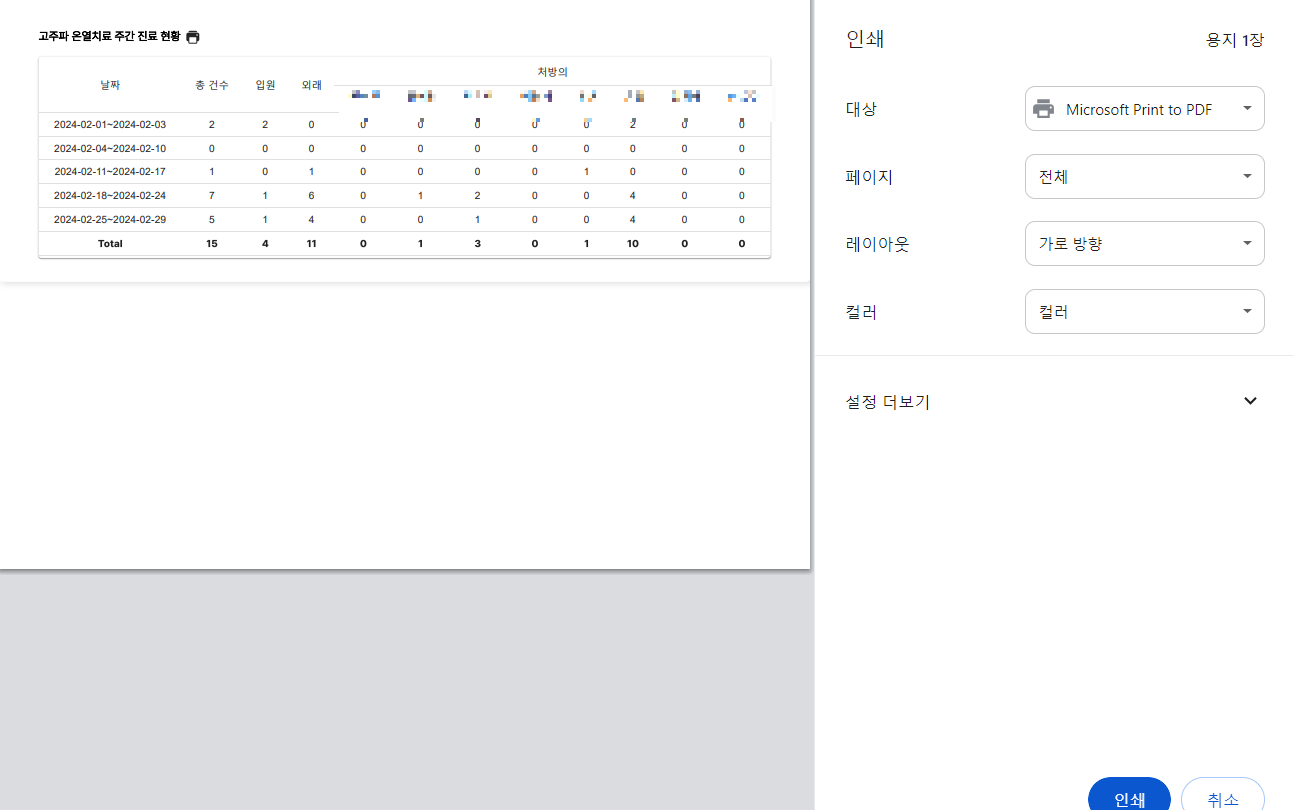
결과 화면

'React.js > 라이브러리' 카테고리의 다른 글
[dayjs] x시간 전 (0) 2024.02.07 [TinyMCE] 이미지와 텍스트가 섞인 게시글 작성하기 (0) 2023.12.13 [Recoil] 새로고침 후에도 데이터를 유지하려면? (recoil-persist) (0) 2023.11.23 [Recoil] 전역 상태 관리가 이렇게 간단해? (feat. Atom, Selector) (0) 2023.06.21 React Query와 서버 상태 관리(비동기 통신 분리) (0) 2023.05.31